
GoHighLevel Funnel Attribution & ROI Tracking: Prove Lead and Revenue Sources
Learn how to use GoHighLevel campaign automation to attribute leads

Turn GoHighLevel Data Into Proof of ROI
Clients are asking harder questions about what is actually working in their funnels. Ad costs keep creeping up, privacy rules keep tightening, and random screenshots of click numbers are not enough anymore. If we want to keep trust and keep retainers, we have to show clear proof of leads and revenue, not just activity.
That is where real funnel attribution inside GoHighLevel comes in. When we say funnel attribution, we mean tracking which channels, workflows, and offers move people from first click to booked call to paid customer. In this article, we will walk through how to set up tracking, read the right reports, tie automations to revenue, and turn all that into simple ROI stories your clients can understand.
Why Your Funnel Reporting Is Lying to You
A lot of funnel reporting looks good at first glance, but it tells half-truths. We see things like:
• “Facebook is killing it because clicks are high.”
• “Email is dead because open rates dropped.”
• “That automation is broken because nobody replied to the last text.”
Those are surface reads. None of them answer the only question your clients really care about: which GoHighLevel campaign automation is creating paying customers.
Most GoHighLevel accounts have tracking gaps that twist the story:
• Ads and emails without UTM parameters
• Missing tags on form submissions and chat widgets
• No standard pipelines across locations or sub-accounts
• Calendars and payment links that do not talk to opportunities
When these gaps stack up, you get double-counting, “unknown source” leads, and random “misc revenue” that never gets tied back to the right campaign. Your best automations might be doing quiet, steady work in the background and getting zero credit.
To fix this, we need a more disciplined attribution framework so every automation in your GoHighLevel account can be judged fairly and clearly.
The Core Framework for GoHighLevel Funnel Attribution
We like to keep attribution simple. Three layers:
• Source Attribution , where did the lead come from?
• Funnel Path , what did they experience?
• Revenue Trigger , what did they buy and when?
Inside GoHighLevel, you can map this like this:
• Use tags for sources and funnel milestones, for example “SRC: FB Ad A,” “FUNNEL: Opt-In,” “FUNNEL: Booked Call”
• Use custom fields for detailed attribution, such as first touch, last touch, campaign name, or offer name
• Use standardized pipelines, with the same stages across clients whenever possible, so reports are consistent
Your GoHighLevel campaign automation should be architected around this framework. Each workflow needs one clear mission and one primary outcome. For example, “cold lead nurture to booked call,” not “do everything for everyone.”
Before you ever build an automation, decide what success looks like. Is it a:
• Booked strategy call
• Webinar registration or attendance
• Purchased main offer or tripwire
• New subscription or contract renewal
Once that success event is defined, it becomes your main KPI in the reports. Everything in the workflow exists to move the contact toward that one moment.
Setting Up Accurate Tracking in GoHighLevel
Now let us turn this into concrete setup steps inside your account.
First, clean up your traffic tracking:
• Add UTM parameters to your ads, social posts, and email links
• Make sure GoHighLevel forms, surveys, and chat widgets are on your landing pages, not third-party tools that break tracking
• Enable tracking on calendars and booking widgets, then tie those to pipelines
Next, get your tags and custom fields organized. Create a simple naming system so you can answer questions like “Which GoHighLevel campaign automation creates the most show-up-ready appointments?”
Helpful tag buckets:
• SRC: for traffic source and campaign
• FUNNEL: for key funnel actions
• STATUS: for lifecycle tags like “Reactivated,” “No-Show,” “Upsell Buyer”
Then dial in opportunities and pipelines:
• Use the same pipeline stages everywhere, for example New Lead, Qualified, Booked, Showed, Won, Lost
• Set deal values that match the average offer value or expected contract value
• Add automation triggers when an opportunity moves stages or is marked as won or lost
Privacy rules keep tightening, so we have to lean less on long cookie windows and more on first-party data. Inside GoHighLevel, that means:
• Relying on form fills, calendar bookings, and payment events as your “source of truth”
• Keeping attribution fields up to date inside the contact record, not only in cookies or pixels
• Shortening attribution windows and focusing on the most recent impactful touch
Turning Automations Into Measurable Revenue Machines
Once tracking is solid, automations stop being “magic boxes” and start becoming measurable systems.
Think about your core GoHighLevel campaign automation sequences:
• Lead nurture
• No-show or reschedule recovery
• Reactivation of old leads
• Upsell and cross-sell
Each of these should be tied straight to pipeline stages and revenue events.
For example:
• A lead nurture workflow, goal is “Booked Strategy Call” stage. When someone hits that stage, you log the average deal value in the pipeline and can see which workflow did the heavy lifting.
• A reactivation sequence, goal is the “Reactivated” tag plus a moved opportunity from Lost back to Qualified or Won. Revenue from those won deals can be summed by that tag.
• An upsell automation, goal is a new purchase or subscription upgrade. Connect the automation to payment events so you can see how many upsells came from those messages.
Build a repeatable process:
1. Design the workflow with one clear goal.
2. Define the success metric and how you will measure it in GoHighLevel.
3. Attach triggers, tags, and opportunity updates to that success.
4. Set up a simple dashboard or report view to monitor it weekly.
Then keep testing. Try different messages, delays, and channels and use pipeline conversion data, not vanity metrics, to choose winners. A text with fewer replies but more “Won” deals is better than an email with lots of clicks and no sales.
Building ROI Dashboards Clients Actually Understand
Reporting should feel calm and clear, not like staring at a cockpit full of blinking lights.
Inside GoHighLevel, use built-in reporting and custom dashboards to create one main view that answers three questions for your clients:
• How many leads did we generate?
• How many turned into real opportunities and customers?
• Which GoHighLevel campaign automation did the work?
Must-have widgets and reports usually include:
• New leads by source or campaign
• Booked appointments by funnel
• Show-up rate and close rate per funnel
• Revenue by campaign or workflow, tied to won opportunities
For client reviews, roll this up quarter over quarter. Show trend lines, not just snapshots. For example, “This quarter, your lead nurture workflow brought in more booked calls and a higher show-up rate than last quarter.”
Keep visual storytelling simple. Map complex automation paths into two or three clear wins, like:
• “This reactivation campaign brought old leads back to life and created new revenue.”
• “This nurture sequence turned cold traffic into booked calls.”
• “This upsell flow increased average order value from existing buyers.”
From Data to Decisions: Your Next 30 Days in GHL
To make this real, here is a simple 30-day plan you can follow inside GoHighLevel.
Week 1: Clean the foundations
• Standardize pipelines and stages
• Create or clean your source and funnel tags
• Add or fix UTM parameters on your main traffic sources
Week 2: Instrument key automations
• Pick your 1 or 2 flagship funnels to focus on
• Define the success events for each workflow
• Add tags, custom fields, and opportunity updates for those events
Week 3: Build simple dashboards
• Create one main ROI dashboard view per client
• Add widgets for leads, booked calls, show-ups, and revenue by campaign
• Check that numbers line up with what you see in opportunities and payments
Week 4: Review, adjust, and document
• Benchmark current numbers before you tweak copy or offers
• Note where people drop off in the funnel
• Plan two or three small tests based on actual data
At GHL HQ, we have seen how much calmer agency life feels when GoHighLevel is set up to tell the truth about ROI. When every funnel and automation is a measurable, scalable asset, you stop guessing and start making clear decisions that clients can respect and understand.
Turn Your HighLevel Workflows Into Reliable, Hands-Off Revenue Machines
If you are ready to stop manually managing every follow-up and funnel, we can help you put GoHighLevel campaign automation to work the right way. At GHL HQ, we design and refine automation workflows so your leads get the right touchpoints at the right time without constant babysitting. Whether you are launching from scratch or fixing a messy setup, we will map, build, and test everything with clear metrics for success. Have questions about your specific use case or want a tailored buildout, just contact us so we can outline the next steps togethe
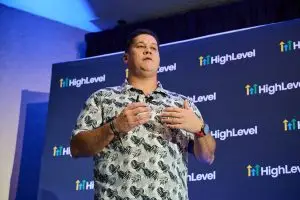
Andrew Brockenbush
HighLevel LevelUp speaker and agency coach